What Windows 11 would look like running on a render of an old Windows Phone.Image: Lumia WOA Project
It hasn’t even been a whole week, and Windows 11 has already been successfully ported over to a smartphone. A very committed student of engineering, Gustave Monce, published a video to YouTube showing the latest developer preview of Windows 11 running on an old Windows Phone.
The phone is a Lumia 950 XL, which you may remember once tried to usher in the era of Windows 10 Mobile. It was also the last Windows Mobile phone, and is now somehow a bonafide collector’s item.
“It all started really five years ago, when Windows 10 Mobile was near obsolescence,” Monce said in an interview with the The Verge about the Lumia WOA Project.
Monce is right about Windows Phone being in a near-extinction phase at the time. The platform was struggling even before then to hold on to its barely 2% market share as Android and iOS devices proliferated.
Monce teamed up with another classmate, Bingxing Wang, who was also into the idea of running a desktop OS on the Lumia’s 5.7-inch screen.
G/O Media may get a commission
“As time went on and we started talking about it, discussion groups formed and in turn we had a community of people interested in running full Windows 10 on Lumia 950s,” Monce told The Verge.
The team now consists of 15 people working on the WOA Project. They worked together on the Windows 11 port by reverse-engineering the work they had already done with Windows 10 and 10X.
Android users have also gotten in on the Doing It Because You Can fun, if you’re the type of person who calls this sort of thing “fun”—I don’t, but I also had a nervous breakdown fixing the CSS on my website, so that’s where I’m coming from. XDA surfaced how developers behind The Renegade Project got Windows 11 to boot on a OnePlus 6T. It even has some of the operating system’s core functions working as intended, including Bluetooth and USB input. The actual desktop size is small and snipped, but otherwise, it’s fun! Pure fun!
In all sincerity, it’s neat to see what’s possible with a bit of patience and a knack for reconfiguring. But it’s also an indication of Windows 11's scalability relative to older versions. In the videos embedded above, Windows is natively running on ARM-based CPUs. Previously, Windows 10 could only run if it was emulated on Qualcomm-based tablets and, as exhibited here, smartphones. But because Microsoft rebuilt the binaries of Windows 11 on ARM with ARM64EC, it’s possible to go in and remap parts of the OS to get it running on older hardware.
You could probably try it yourself if you had the wherewithal. The Renegade Project, at least, allows you to download the source code and tinker with it yourself. The WOA Project also has plenty of guides to help you walk through what the process would be like to revive that old Windows Phone you have stowed away in your closet.
Microsoft is changing its famous Blue Screen of Death (BSOD) to black in Windows 11. The software giant started testing its new design changes in a Windows 11 preview earlier this week, but the Black Screen of Death isn’t fully enabled yet. The Verge understands Microsoft will be switching to a Black Screen of Death for Windows 11, matching the new black logon and shutdown screens.
It’s the first major change to the BSOD since Microsoft added a sad face to the screen in Windows 8 in 2012, and QR codes in 2016. Microsoft first introduced the BSOD in Windows 3.0, offering a way for IT professionals and support personnel to diagnose hardware and memory faults. A BSOD is Windows’ own kernel error or bug check, and it usually includes a dump of data that can help system administrators analyze what system fault caused the blue screen.
While Microsoft is switching to a Black Screen of Death in Windows 11, the screen is identical to the one found in Windows 10 otherwise. The sad face remains, as does the stop code and crash dump. The current preview of Windows 11 includes a green BSOD, a color that Microsoft has been using for Windows Insider builds since 2016.
We’re not entirely sure why Microsoft is changing the color from blue to black, and the company isn’t commenting on the change yet. I have some theories, though. Microsoft is overhauling many parts of Windows 11, with a fresh approach to the OS. It’s likely because Windows 11 includes a visual overhaul to modernize the OS in key areas, including classic parts like the Start menu, File Explorer, and now even the BSOD.
In mid-July, Humble Bundle will move forward with its previous decision to cap charitable donations. Back in April, the company announced a plan to introduce a new storefront that was set to do away with its signature sliders and limit how much of their purchase customers could direct to charity. Following vocal backlash from its community, Humble Bundle said it would take time to re-evaluate that plan.
As of today, the company plans to move forward with a version of its storefront that affords consumers some amount of choice over where their money goes, but still takes away the option to donate everything they spend on charity. “While splits on each bundle will vary, on average there will be a minimum amount for Humble Bundle between 15 to 30 percent,” the company said in a blog post spotted by Kotaku. “Sliders will clearly indicate any minimums to customers and the flexibility to adjust donations will be available in every purchase of a bundle.”
Humble Bundle says its latest decision reflects shifts in the “PC storefront landscape,” adding “the change to sliders lets us continue to invest in more exciting content so we can keep growing the Humble community which will ultimately drive more donations for charitable causes.” Media conglomerate IGN acquired Humble Bundle in 2017 for an undisclosed amount. In 2019, co-founders Jeff Rosen and John Graham left the company.
As with its initial announcement, the reaction to today’s news hasn’t been positive. “Yeah, the multi-billion dollar company needs the money more than my local animal shelter,” said one Twitter user, referencing the estimated $1.9 billion net worth of IGN and Humble Bundle parent company Ziff Davis.
All products recommended by Engadget are selected by our editorial team, independent of our parent company. Some of our stories include affiliate links. If you buy something through one of these links, we may earn an affiliate commission.
Instagram is looking to focus its attention on competing directly with TikTok and as a result, its head Adam Mosseri says that the popular app is no longer a photo-sharing app, but will shift to entertainment, video, and shopping.
“We are no longer a photo-sharing app,” Mosseri says bluntly in a video posted to Twitter. “The number one reason people say they use Instagram, in research, is to be entertained.”
He explains that he recently told the company that because of this data, he and therefore Instagram will “lean in” to the entertainment trend and video. Mosseri says that TikTok and YouTube are “huge” competitors to Instagram, and notes that in order to stay relevant, the app must evolve.
“And so people are looking to Instagram to be entertained, and there’s stiff competition, and there is more to do and we have to embrace that,” he continues. “And that means change.”
Changes are coming to video on Instagram 📺
At Instagram we’re always trying to build new features that help you get the most out of your experience. Right now we’re focused on four key areas: Creators, Video, Shopping and Messaging. pic.twitter.com/ezFp4hfDpf
As part of that, Mosseri references a change that is already in testing that involves showing users more recommendations in feeds that may not be directly related to accounts that are specifically followed. In previous coverage, PetaPixel noted that this shift would make Instagram theoretically function similarly to how YouTube manages its “home” page. TikTok functions similarly with its recommendation algorithm that ranks videos based on several factors. Because Mosseri says that Instagram is pivoting specifically to challenge TikTok and YouTube, it appears to be following in those company’s footsteps with regard to how it delivers content.
While an early version entered testing last week, Mosseri says that a newer version of recommendations is coming that includes topics, where users can tell Instagram what kinds of topics they want to see more or less.
But beyond that, as a company, Mosseri says that Instagram’s goals moving forward are to “embrace video more broadly” beyond its IGTV, Reels, and Stories integrations. He says that Instagram wants to focus on more full-screen, immersive, “mobile-first” video experiences over the “square photo-sharing app” that it has been since it was founded.
The broad goals that Mosseri talks about have few details or pointed strategic notes, but it does point to a major shift in how Instagram sees itself and what users can expect from the platform moving forward. Clearly, the rise of TikTok has Instagram worried as it pivots to be more like it and less like what Instagram has thus far been.
Windows 11 will be a free upgrade when it launches later this year.
Getty Images
At first blush, Microsoft's Windows 11 looks to be a solid update to the operating system software that powers most of the world's PCs. Windows 11's biggest change is its new streamlined look, reminiscent of smartphones and tablets. Microsoft also added capabilities to help people with the new ways we've all learned to work. That includes built-in video chat software, technology to make video games look better, and more-modern looking buttons and windows for controlling apps and sorting documents.
But its most important feature will be what it doesn't do. After announcing Windows 11 last week, Microsoft CEO Satya Nadella said his company is building its technology to work with as many products as possible, including software for competing Google Android-powered smartphones.
"Today, the world needs a more open platform -- one that allows apps to become platforms in their own right," he said. "Windows is a platform where things that are bigger than Windows can be born."
He pushed this point by inviting Google to bring its app store onto Windows. He also told developers they're now allowed to sell programs on the Microsoft Store for little to no commission, a stark shift from Apple's and Google's 15% minimum take that's led to lawsuits and antitrust probes around the world. And he said he'd welcome Apple's FaceTime and other technologies on Windows 11 and in the Microsoft Store.
"We want to remove the barriers that too often exist today and provide real choice and connection," he said. "Operating systems and devices should mold to our needs, not the other way around."
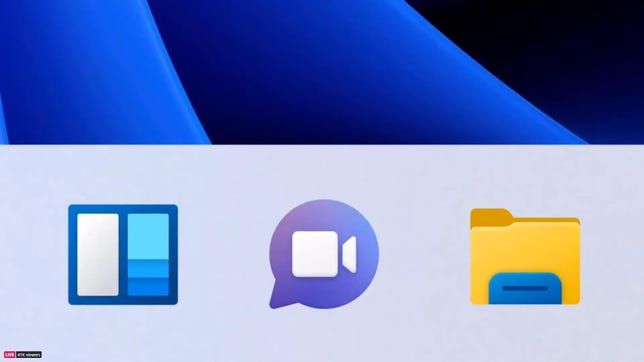
Microsoft is building its Teams video chat into Windows 11.
Microsoft
Microsoft's move with Windows 11 marks the latest in a sea change for the world's most highly valued software company. Two decades ago, Microsoft's attempts to crush competitors through its Windows software led a federal judge to declare it a monopoly. Microsoft's sharp-elbowed tactics and problem-prone software made it so reviled that people across the tech landscape shorthanded the company as M$ in chatrooms for what they saw as the company putting profit before the needs of people using its products.
Competitors joined in too. In the early 2000s, Google marketed its nascent search engine with the corporate ethos "Don't be Evil." And when Apple began formulating its "Get a Mac" campaign to help market its computers in 2005, it cast the Microsoft-powered PC as a bumbling and arrogant fool.
"The fact is you're selling like hotcakes now, and I've got to get my message out, so I'm doing a little buzz marketing for good old PC, the only computer you'll ever need," said the character PC, played by comedian John Hodgman, who then holds up signs saying "Amazing!" and "Totally cool!"
But things have changed since then. Google dropped its famous "Don't be evil" corporate mantra in 2015, opting instead for "Do the right thing." (Perhaps not coincidentally, the search giant is now facing antitrust scrutiny itself.) And Apple's controlling approach to the iPhone and its App Store have fueled lawsuits and government investigations in Europe and the US, fueled by complaints from major partners such as Tinder dating app maker IAC, music service Spotify and Fortnite developer Epic Games.
Meanwhile, Nadella's been instituting changes at Microsoft since he was named CEO in 2014. He's pushed Microsoft to soften its approach with partners, competitors and even within its own divisions. It's about "the renaissance as much as about just sort of fixing something that's broken," Nadella told CNET in 2018.
Now, with Windows 11, Microsoft sees an opportunity to stand out from the crowd, rather than merely compete. And it'll be coming quick, with the launch planned for later this year after a public beta test period this summer.
"Now is the time," said Maribel Lopez, an analyst at Lopez Research. For a long time, Nadella has told developers that Microsoft is more open, easier to develop on and, with hundreds of millions of PCs sold every year, still a platform with opportunity. Even Microsoft's biggest hurdle -- the lack of a smartphone operating system -- is fading as mobile chips begin to power more PCs and the lines blur further.
That's not to say there's an easy road ahead for Microsoft. Though the company is making its single operating system more accessible to developers, Apple boasts two popular platforms in iOS and MacOS.
"You can't take Apple lightly," Lopez said, noting that there's a "war" going on for the future of tech.
The next Windows
Windows 11 has a lot of smartphone- and tablet-inspired features.
Microsoft
In the 1990s, when people were buying their first desktops and logging onto the internet for the first time, Microsoft's stated corporate mission was to put "a computer on every desk and in every home." By 2015, it had largely succeeded -- and that groundwork even helped put a computer in everyone's pockets as well. (Despite Microsoft's best efforts, though, the devices didn't have a Windows logo on them).
So what do you do next? Nadella decided he wanted Microsoft to "empower every person and every organization on the planet to achieve more." That thinking ended Microsoft's obsession with Windows, solidifying it more as a company whose products help other company's products run.
But the Microsoft of old didn't entirely go away. Analysts believe Nadella's broadsides against Apple during his Windows 11 launch speech weren't just about knocking Microsoft's biggest frenemy. His tone wasn't jovial, nor was he dismissive like former CEO Steve Ballmer when Apple co-founder Steve Jobs first showed off the iPhone in 2007. Nadella was serious.
"He's attempting to pierce the veil," said Patrick Moorhead, an analyst at Moor Insights & Strategy, referring to Apple's position as the innovative cool kid in the tech industry. "How many opportunities do you have to pierce the veil?"
Moorhead noted that Microsoft's put a lot of effort into making sure its Office productivity apps, Teams chat software and other programs run well on iPhones, iPads and Macs. But Apple's barely updated iTunes on Windows over the years, and it hasn't even made apps like FaceTime available to download.
Microsoft declined to make Nadella available for an interview to discuss the motivations behind his speech. Whatever his reasons, Nadella's move showed that beneath Microsoft's cool-by-being-uncool veneer, it still has that monopoly-making cutthroat business sense.
"I can see why they envy Apple -- everyone bows down to that company like it's a religious talisman," said Endpoint Technologies Associates analyst Roger Kay.
But attacking Apple may not be enough to change people's perceptions. In 2001, more than nine out of every 10 computers on the planet was powered by Windows. Today, it's closer to seven out of 10, according to StatCounter.
The iPhone makes Apple a hard nut to crack.
Sarah Tew/CNET
So Nadella may want to position Windows 11 as the anti-Apple, but Microsoft's influence these days largely extends to the people who already have Windows. And those people will either download the free Windows 11 update when it's released this fall or wait until the IT team at their company lets them.
"Microsoft's only competing against themselves," Kay said. "No one else cares."
And if that isn't enough, Microsoft's building its Teams software into Windows in a way similar to how Apple's used FaceTime with its devices. But it's clear Microsoft wants to carve out its own identity with the way it's opening up Windows.
"We're building for the next decade and beyond," Nadella said in that Windows 11 speech. "This is the first version of a new era of Windows."
And maybe most important to him, it won't be Apple.
After bringing Windows 10 support to the M1 Macs, Parallels confirmed it’s working to bring Windows 11 compatibility to macOS. This comes just a week after Microsoft unveiled Windows 11 to the public with an all-new design.
According to iMore, Parallels confirmed that the team is doing “everything that’s possible” to bring Windows 11 to macOS. Here’s what Nick Dobrovolskiy, SVP of Engineering and Support, told the website:
“Since Windows 11 has just been announced recently, the Parallels Engineering team is waiting for the official Windows 11 Insider Preview build to start studying changes introduced in the new OS to deliver full compatibility in future Parallels Desktop updates.”
As for now, Parallels Desktop is in version 16, which is optimized for macOS Big Sur. Publicly, the company said it’s testing the software on macOS Monterey beta “to ensure full compatibility as soon as it’s released.”
In April, the software was updated to version 16.5. It brought up to 250% less energy used, up to 60% better DirectX 11 performance, and up to 30% better virtual machine performance than a Windows 10 VM running on Intel-based MacBook Pro with an Intel Core i9 processor.
In May, 9to5Mac Jeff Benjamin posted a super-easy guide for installing Windows on M1 Macs using Parallels Desktop, which you can learn more about here.
Of all Apple’s OSes, macOS is the one most people delay updating. How many of you, when you boot up your Mac, banish update reminders for days—sometimes weeks or even months—with a click of “remind me later” rather than wait to finish the task you sat down to accomplish? I would guess a large number. In the days before I regularly blogged about Macs, I confess I did the same.
But macOS 12 is so in sync with iOS 15 that if you update your iPhone—and you will—then updating your Mac makes perfect sense. So many features carry over from one device to another that they now feel like extensions of each other.
If macOS Big Sur was the iOS-ification of the Mac’s aesthetic, macOS Monterey’s headline software features are all lifted straight from the iPhone and work across all your Apple devices. Shortcuts, Apple’s automation app most well-known for enabling users to customize home screen icons in iOS 14, just landed on the Mac after debuting on the iPhone back in 2018. FaceTime gets a huge upgrade, with SharePlay for watching videos, screen-sharing, and listening to music with contacts. You can set up Focus profiles for managing notifications that sync across all your devices. Safari gets a new look, which is not as heinous on the Mac as it is on the iPhone but has the same general vibe. And you’ve long been able to AirPlay content from an iPhone to, say, an Apple TV, but never to a Mac—until now. It all just works.
If I have any disappointments with macOS Monterey so far, it’s that Universal Control, one of the few Mac-specific features in Apple’s overall suite of upgrades this year, has so far not been included in the beta. I rarely get extremely hyped about new Mac features, but I’m so curious to try out this one, which allows you to use a single mouse/trackpad and keyboard to control multiple Macs and iPads arranged next to each other. I’ve been imagining how I can position an iPad Pro with a Mac for the dual-display setup of my dreams—do I go horizontal or vertical?—even going so far as to set up an iPad stand set up next to my iMac. It sits empty, waiting.
While I won’t be describing a Universal Control experience here, I can tell you what it’s like to live with macOS Monterey in general. If you update your iPhone to iOS 15 and like what you see, so far Monterey is a solid, complementary upgrade.
G/O Media may get a commission
How to Install macOS Monterey
macOS Monterey is now available as a public beta for anyone to try. I’ve been using it on an M1 iMac for a while now, and have had no issues with stability. As always, back up your files and prepare for bugs before installing beta software, and I recommend using it on a device you don’t rely on every day, just to be safe.
You also need to have a Mac compatible with Monterey. For reference, those are: MacBook Air or MacBook Pro from early 2015 or later; MacBook (early 2016 or later); iMac (late 2015 and later); iMac Pro (2017 and later); Mac Pro (late 2013 and later); and Mac Mini (late 2014 and later).
If you’re still feeling brave and have a compatible Mac, head on over to enroll in Apple’s Beta Software Program with your Apple ID and follow the instructions for installing Monterey.
Now let’s get into it.
iOS 15's Flagship Features on the Mac
Shortcuts, a Safari redesign, and AirPlay land on the Mac, just like on the iPhone.Photo: Caitlin McGarry/Gizmodo
I’ve described in detail what it’s like to use iOS 15 features like FaceTime’s SharePlay and Focus in my iOS 15 preview here. And while they are equally capable on the Mac in Monterey, you might find you use them differently. I don’t find Focus, Apple’s notification-wrangling approach, to be as useful on the Mac as on the iPhone because my interaction with notifications on my Mac is completely different than it is with my iPhone. I don’t really need to use my Work Focus profile on my Mac because, basically, all I use it for is working. I don’t get many dings from messaging apps besides Slack (constantly, forever), and the only notifications I allow are from Messages and Calendar. All that is to say, the Mac is not a screen I have an addiction to, so Focus isn’t quite as necessary here.
FaceTime’s new features are also fun on the Mac, though screen-sharing was a little finicky. I didn’t see controls to share a screen or my window, and I also wasn’t able to turn off screen-sharing when I wanted to—instead, I had to end the call. I expect these are little bugs that will be ironed out ahead of the official release.
FaceTime Portrait Mode is a little aggressive around curly hair, but I don’t hate it.Screenshot: Caitlin McGarry/Gizmodo
And while I usually use FaceTime on my iPhone or iPad, using Portrait Mode with the iMac’s 1080p front-facing lens is truly next level, and I plan to use this for all future video calls. Thankfully, Portrait Mode will be available in third-party video-conferencing apps, too, not just FaceTime (though it is only supported on M1 Macs). Apologies to all my friends and colleagues in advance for being extra as hell.
Cool new Maps, the Shared With You feature from Messages that allows you to see content your friends have sent you in relevant apps (say, a web link in Safari or a song link in Apple Music), and more iOS features have also arrived on the Mac, making the two devices seem more intertwined than ever before. They’re not game-changers for the Mac, but they do make it easier to pick up on one screen where you left off on another, which is exactly the point of Monterey.
New Safari Is Slightly Less Annoying on the Mac
As terrible as I find the Safari redesign in iOS 15 and iPadOS 15, somehow it’s less so on the Mac. Unlike on the iPhone, the address bar doesn’t jump up and down depending on whether you’re typing in it or not, so immediately we’re off to a better start. And while I absolutely hated the color-matched tabs when I started using the redesigned Safari—confusingly, they just made it appear as if my browser was jumping between Light Mode and Dark Mode depending on the page—you can turn that feature off.
The redesigned Safari isn’t so bad on the Mac, but the disappearing reload button is a no from me.Screenshot: Caitlin McGarry/Gizmodo
I do find it weird that my tabs and the address bar are center-aligned in the same spot, which means things can get very crowded (though with Tab Groups, which let you organize tabs into categories and switch between them, a bit less so). That feature is now accessible from a new Safari sidebar, which keeps things pretty streamlined.
And while the button to reload a page has seemingly disappeared, if you hover your cursor over the More menu (behind the ellipses to the right of the search bar), you’ll see it appear again. It’s a neat trick, but also infuriating because why? What problem does this solve? I predict Safari is going to make an awful lot of people mad. Luckily, I primarily use Chrome on the Mac because Kinja doesn’t function in Safari, so at least my Safari woes will be limited to iPhone and iPad.
AirPlay Is Fine, but I Want Universal Control
Apple’s AirPlay 2 is a convenient way to cast content from one Apple device to another, usually one with a bigger screen. I generally use it to cast videos to my Apple TV or music to AirPlay-compatible speakers. Because of other Continuity features like Handoff, I actually always forget that you can’t AirPlay from an iPhone to a Mac—or at least you couldn’t, until now.
At first, I wondered why this feature would be useful. I never really need to AirPlay a song to my Mac, for instance, because I would just pop open Apple Music or Spotify. And AirPlaying a YouTube video to a Mac is silly because I can navigate to YouTube in a browser. But there are some instances where you might want to use AirPlay with your Mac. Apple highlighted the use of iPad sketching apps, which allow you to AirPlay your drawings to a Mac in real-time. I doodled a bit on an iPad Pro while mirroring my screen to an iMac, and while I’ll spare you the outcome (I’m not an artist), it worked well and there was no lag.
There’s no Fitness+ Mac app, but you can now AirPlay workouts from your iPhone.Photo: Caitlin McGarry/Gizmodo
A perhaps more mainstream use case for AirPlay on a Mac is Fitness+, Apple’s on-demand workout service. You can now cast those videos from your iPhone to your Mac, if you want to take classes on a larger screen (and you do; they’re terrible on an iPhone). I tested this out, and while the AirPlay settings were a little wonky—the class I chose offered me the option to AirPlay audio but not video—the video showed up seamlessly anyway.
You can also use AirPlay to cast content from one Mac to another, which I haven’t tested yet. I tend to play fast and loose with the betas, but putting a dev beta on both a work Mac and a personal Mac just seemed like a disaster waiting to happen. I’ll be testing this alongside Universal Control in the future, so stay tuned. If you’re hoping to use an older Mac as a second display for a newer one, though, AirPlay is probably not the solution—your machine has to be from 2018 or newer to take advantage of the Mac-to-Mac AirPlay functionality.
Overall, AirPlay works well and can be useful in some circumstances. I’m glad it exists on the Mac. That’s it!
All the Small Things
More than any other macOS release in recent memory, it seems like Monterey is jam-packed with little things that will make a huge difference in the way you use your Mac. For some people, the addition of Shortcuts from the iPhone will make automation on the Mac easier (though if you were already using Automator on the Mac, you’ll have to start easing your way over by importing scripts into Shortcuts).
There’s Quick Note, which lets you hover your cursor in a hot corner (the bottom right for me) to bring up a, as you may have guessed, quick note. This is super useful for jotting down little things, rather than adding random observations and to-do items to one long-running, constantly refreshed note (just me?).
And a little thing that may only be of interest to me, a person who has had to erase many a Mac: With M1 Macs in Monterey, Apple is finally making it as easy to erase and factory reset a Mac as it is on an iPhone or iPad. Instead of walking through a complicated process of starting up in Recovery mode and then using Disk Utility to erase your hard drive before reinstalling macOS, there will be a new option to erase user content from the Mac under System Preferences without completely wiping the OS.
There are other M1-specific features, too, like Live Text, a systemwide feature that lets you look up or translate text in any image. A new Visual Lookup tool will show up in a photo when the Mac’s on-device intelligence recognizes something notable, like an animal or a landmark. I took a photo of a houseplant, the species of which I can’t quite figure out, but alas, Visual Lookup had no diagnosis.
So far, macOS Monterey has been mostly fine, if not a little bit boring. But as soon as Universal Control arrives—god, I can’t wait.